

Introduction: Why Great Photos Matter on Social Media
Every day, we scroll through hundreds of images on social media, but only a handful genuinely capture our attention. Visually striking photos are the currency of engagement—likes, shares, comments, and follows often hinge on a single compelling image. Whether we are building a personal brand, promoting a business, or sharing moments with friends, the quality of our photos shapes the message we send to the world.
Strong photography not only draws in viewers but also communicates authenticity and professionalism. In a crowded digital landscape, standing out with great photos allows us to tell our story more effectively and build lasting connections with our audience.
What Makes a Social Media Photo Stand Out?
Outstanding social media photos combine technical skill with creativity. They are visually clean, emotionally resonant, and tailored to the intended audience. Lighting, composition, color, and subject choice all play critical roles in turning a simple snapshot into a scroll-stopping image.
We notice that photos with a clear focal point, thoughtful use of color, and intentional framing often perform better. Authentic moments, strong storytelling, and consistent visual style also help a photo rise above the rest.
Understanding Your Audience and Platform
Before we even pick up the camera, it’s crucial to consider who we are speaking to and where our photos will appear. Different platforms and audiences expect different visual approaches.
How Do Different Platforms Influence Photo Style?
Instagram thrives on high-impact visuals with a cohesive look, while Facebook encourages more casual, personal images. Twitter often favors graphics or photos paired with text, and Pinterest leans toward vertical, aspirational shots. Tailoring our content to the specific platform helps us connect more meaningfully with our audience.
Identifying Your Brand’s Visual Identity
Defining a recognizable visual identity helps us remain consistent and memorable. We can achieve this by choosing a signature color palette, editing style, and subject matter that reflect our personality or brand values. For inspiration, our post on global street style demonstrates how a consistent visual theme can make an account instantly recognizable.
The Basics of Photography for Social Media
Anyone can take better social media photos by understanding the fundamentals of photography. From choosing the right equipment to mastering basic techniques, these building blocks set the foundation for every great shot.
What Equipment Do You Need to Get Started?
While professional cameras offer more control, many of today’s smartphones deliver impressive image quality. Essential equipment varies based on our goals and preferred shooting style.
Is a Smartphone Camera Enough?
For most social media needs, a modern smartphone camera is more than sufficient. Top devices now feature advanced sensors, multiple lenses, and powerful software. We explored the best options in our post on top smartphone cameras for capturing travel memories.
Choosing the Right Camera and Lenses
If we seek greater creative control, investing in a DSLR or mirrorless camera can be worthwhile. Interchangeable lenses, manual settings, and larger sensors offer more flexibility for portraits, landscapes, or product photography.
Essential Accessories for Better Photos
- Tripods for stability and sharper images
- External lights for low-light conditions
- Remote shutters for self-portraits
- Cleaning kits to keep lenses spotless
Mastering Lighting: The Key to Stunning Photos
Lighting can transform an ordinary photo into something extraordinary. By understanding how to use both natural and artificial light, we can add depth, drama, and warmth to our images.
How Does Natural Light Affect Your Photos?
Natural light is often the most flattering and accessible source for social media photography. Soft morning or late afternoon sunlight creates gentle shadows and warm tones, while harsh midday sun can lead to unflattering contrast.
Using Artificial Lighting for Creative Effects
Artificial lighting—such as ring lights, softboxes, or LED panels—allows us to shoot at any time of day and adds a professional polish. Experimenting with colored gels or light placement can introduce creative effects and highlight specific features.
Common Lighting Mistakes and How to Avoid Them
- Avoid strong backlighting unless aiming for silhouettes
- Watch for harsh shadows on faces
- Balance multiple light sources to prevent color casts
Composition Techniques for Social Media Photography
How we frame and arrange elements within our photo influences its impact. Strong composition draws the viewer’s eye and communicates our message clearly.
What Is the Rule of Thirds and How Can You Use It?
The rule of thirds divides an image into a 3×3 grid. Placing the subject along these lines, or at their intersections, creates balance and visual interest. Most camera apps offer a grid overlay to help with this technique.
Leading Lines: Directing Your Viewer’s Eye
Leading lines—such as roads, fences, or architectural features—guide the viewer’s gaze toward the focal point. This technique adds depth and helps tell a story within the frame.
Framing and Layering for Depth
Including foreground and background elements adds a sense of space. We can use doors, windows, foliage, or other objects to frame our subject, making the image feel more immersive.
Symmetry and Patterns in Social Media Photos
Symmetry and repeating patterns are inherently pleasing to the eye. They bring order and structure, making our photos feel harmonious and memorable.
How to Use Negative Space Creatively?
Leaving areas of empty space around the subject draws attention and emphasizes the main focal point. Negative space can also evoke a sense of calm and simplicity, especially on visually busy platforms.
Choosing the Right Backgrounds for Your Shots
The background of a photo can make or break its effectiveness. A cluttered scene distracts from the subject, while a thoughtful backdrop highlights what matters most.
How Do Cluttered Backgrounds Affect Your Images?
Busy or distracting backgrounds pull focus away from the subject. This can confuse viewers and reduce the overall impact of the photo.
Tips for Finding or Creating Clean Backgrounds
- Seek out plain walls, open skies, or simple textures
- Use a wide aperture to blur the background
- Physically remove clutter from the scene before shooting
Using Props and Context to Tell a Story
Props and contextual elements add personality and narrative without overwhelming the image. A coffee cup, a favorite book, or a fashion accessory can communicate mood and intention. For more on how accessories influence style, see our post on fashion essentials.
Color Theory: Making Your Photos Pop
Color is a powerful tool in photography, shaping mood and drawing attention. Understanding how to use color purposefully can significantly improve our social media presence.
How to Use Color to Evoke Emotion?
Warm tones like reds and oranges evoke energy and excitement, while cool blues and greens convey calm and relaxation. Choosing a dominant color for each photo can help evoke the desired emotional response.
Color Harmony and Contrast in Social Media Photos
Pairing complementary colors creates contrast and vibrancy. Analogous color schemes—using colors next to each other on the wheel—feel more harmonious and soothing. Carefully selecting color combinations ensures our images feel intentional and engaging.
Editing for Consistent Color Aesthetics
Consistent color grading across our feed helps reinforce our visual identity. Using the same presets or manual adjustments creates a cohesive look that’s instantly recognizable.
Capturing Authentic Moments vs. Staged Shots
Both candid and staged photos have their place on social media. The key is to balance authenticity with intentionality, so our feed feels relatable and curated.
What Are the Benefits of Candid Photography?
Candid photography captures real emotions and unguarded moments. These images often resonate deeply with viewers, conveying trustworthiness and relatability.
When Should You Stage Your Photos?
Staged photos work well for product features, tutorials, or when telling a specific story. Carefully planning the scene allows us to highlight important details and control the narrative.
Tips for Making Staged Photos Look Natural
- Encourage movement and genuine expressions
- Use props or activities to keep subjects engaged
- Capture in-between moments for a relaxed feel
Photo Editing: Enhancing Your Images for Social Media
Editing brings out the best in our photos, but it’s important to strike a balance between enhancement and authenticity. The right tools and techniques help polish our images while staying true to reality.
Best Free and Paid Photo Editing Apps
Popular apps include Lightroom, VSCO, Snapseed, and Afterlight. Each offers powerful features for adjusting exposure, color, and sharpness. For quick edits on the go, mobile apps provide a convenient solution.
How Much Editing Is Too Much?
Over-editing can lead to unnatural results and loss of trust with our audience. Aim to enhance, not distort, reality—preserve skin texture, natural colors, and authentic details.
Basic Editing Techniques for Beginners
- Adjust brightness and contrast for clarity
- Crop and straighten for better composition
- Boost vibrancy and saturation slightly
Advanced Editing Tips for Standout Photos
More experienced editors can use selective adjustments, frequency separation for portraits, or dodge and burn techniques to add dimension. Batch editing tools help maintain consistency across multiple images.
Using Filters and Presets Wisely
Filters and presets offer a quick way to achieve a signature look, but moderation is key. Subtle application enhances the mood without overwhelming the original photo.
Optimizing Photos for Different Social Media Platforms
Every platform has its own requirements for image size, aspect ratio, and quality. Adapting our photos ensures they display crisply and attractively wherever they are shared.
What Are the Ideal Image Sizes for Each Platform?
- Instagram: 1080 x 1350 px (portrait)
- Facebook: 1200 x 630 px (shared images)
- Twitter: 1200 x 675 px
- Pinterest: 1000 x 1500 px
How to Crop Photos for Instagram, Facebook, and Twitter?
Crop images to fit the aspect ratio of each platform to prevent awkward cropping or loss of important details. Preview before posting to make sure key elements are not cut off.
Maintaining Image Quality After Upload
Export images at the recommended resolution and use minimal compression. Avoid excessive resizing, and always review how your images appear after uploading to catch any quality loss.
Storytelling Through Photo Series and Carousels
Photo series and carousels allow us to tell richer stories and keep viewers engaged longer. Sequencing images thoughtfully can guide our audience through a narrative journey.
Planning a Cohesive Photo Series
Start with a clear concept or theme. Plan each shot to contribute to the overall story—whether it’s a day in the life, a travel experience, or a product launch.
How to Sequence Images for Maximum Impact?
Begin with a strong opener, build interest with supporting images, and end with a memorable closing shot. Vary perspectives and compositions to keep the viewer engaged.
Tips for Creating Engaging Carousels
- Mix wide, medium, and close-up shots
- Use visual cues (like arrows or text) to encourage swiping
- Maintain consistent color and style throughout
Incorporating Text and Graphics into Photos
Adding text and graphics can enhance communication, highlight key messages, and increase engagement—if done thoughtfully.
When Should You Add Text to Your Images?
Text is helpful for quotes, announcements, or calls to action. Use it sparingly to avoid cluttering the image and detracting from the visual impact.
Best Practices for Readable Overlays
- Choose high-contrast text colors
- Use clear, legible fonts
- Keep wording concise
Using Graphics and Icons Without Distracting
Graphics and icons should complement, not compete with, the main subject. Place them in corners or areas of negative space, and maintain a consistent style across your feed.
Working with Models and Subjects
Photographing people adds emotion and relatability to our social media content. Directing models and subjects with confidence leads to more natural, engaging results.
How to Direct People for Natural Poses?
Encourage movement, laughter, or interaction with props to capture genuine expressions. Offer simple cues and create a relaxed atmosphere for the best results.
Tips for Photographing Yourself (Selfies & Self-Portraits)
Use a tripod or smartphone timer for flexibility. Experiment with angles and lighting to find your most flattering look. For compact and convenient devices, see our guide on mini smartphones.
Capturing Group Shots for Social Media
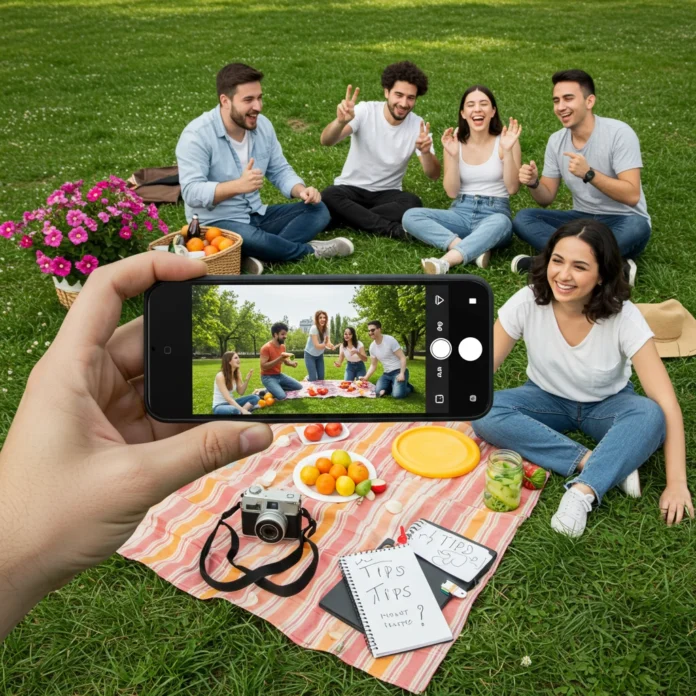
Arrange people at different heights and distances to add depth. Encourage natural interaction, and take multiple shots to ensure everyone looks their best.
Mobile Photography Tips for On-the-Go Content Creators
Smartphones are indispensable tools for capturing spontaneous moments. By leveraging their built-in features, we can achieve professional-looking results even while traveling or attending events.
Using Smartphone Features for Better Photos
Modern smartphones offer advanced features like portrait mode, night mode, and manual settings. Experimenting with these options unlocks new creative possibilities.
How to Stabilize Your Phone for Sharp Images?
Use both hands, brace your elbows, or rest your phone on a stable surface. Portable tripods and pop sockets provide additional stability for sharp, blur-free shots.
Leveraging Burst and Timer Modes
Burst mode is perfect for action shots, while timer mode gives us time to compose self-portraits or group photos without rushing. These features help capture fleeting moments with precision.
Creating Consistency with Photo Styles and Presets
Consistency in style builds brand recognition and makes our feed more visually appealing. Developing a signature look sets us apart and attracts followers who appreciate our aesthetic.
Developing a Signature Look for Your Feed
Choose a color palette, editing style, and subject focus that reflect your vision. Apply these choices consistently to create a unified appearance across all posts.
How to Batch Edit for Consistency?
Editing multiple photos at once with the same settings or presets saves time and ensures a cohesive look. Many editing apps allow us to copy and paste adjustments across images.
Scheduling and Planning Photo Shoots
Preparation is key to a successful photo shoot. Planning ahead ensures we capture the images we need and make the most of available light and resources.
How to Prepare for a Successful Photo Shoot?
- Create a shot list and gather necessary props
- Scout locations for optimal lighting and backgrounds
- Charge all devices and pack backup batteries
Making the Most of Golden Hour and Blue Hour
Golden hour—the hour after sunrise and before sunset—offers soft, flattering light with warm tones. Blue hour, just before sunrise or after sunset, creates cool, atmospheric hues. Shooting during these times elevates the mood and quality of our photos.
Backup and Storage Solutions for Social Media Photos
Protecting our photo library from loss or damage is essential. Organizing and backing up images keeps our workflow efficient and secure.
Best Practices for Organizing Your Photo Library
- Sort images into folders by date or project
- Use descriptive file names for easy searching
- Delete duplicates and blurry shots regularly
Cloud vs. Local Storage: Which Is Better?
Cloud storage offers remote access and automatic backup, while local drives provide faster access and more control. Combining both methods gives us the reliability and flexibility we need.
Legal and Ethical Considerations in Social Media Photography
Respecting privacy, copyright, and truthfulness is vital when sharing photos online. Ethical practices maintain our reputation and prevent legal issues.
Do You Need Permission to Post Photos of Others?
Always obtain consent before posting images of people, especially in private settings or when children are involved. Written permission is best for commercial or promotional use.
Understanding Copyright and Fair Use
Only share photos you have taken or have explicit rights to use. Avoid using copyrighted images without permission, and credit others when sharing collaborative work.
Avoiding Misleading Edits and Misrepresentation
Edit images honestly—avoid excessive retouching or manipulating reality in ways that could deceive viewers. Authenticity builds trust and credibility.
As experts often say:
“A photograph is shaped more by the person behind the camera than by the camera itself.”
Analyzing and Learning from Top Social Media Photographers
Studying successful photographers helps us grow and refine our own style. Inspiration can be found in their techniques, storytelling, and use of color.
Who Should You Follow for Inspiration?
Seek out creators in your niche, whether it’s travel, fashion, or food. Analyze what makes their images compelling—composition, lighting, editing, or narrative.
What Can You Learn from Viral Photos?
Viral images often evoke strong emotions, tell a story, or capture a unique perspective. Pay attention to trends, but stay true to your voice and values. For those interested in sustainable style, our sustainable fashion guide offers insight into visually impactful storytelling with purpose.
Tracking Your Progress and Improving Over Time
Continuous improvement is key to mastering social media photography. By analyzing our results, we can identify strengths and areas for growth.
How to Analyze Engagement Metrics for Your Photos?
Monitor likes, shares, comments, and saves to gauge what resonates with your audience. Use platform analytics to track trends over time and adjust your strategy accordingly.
Setting Personal Photography Goals
Set specific, measurable goals—such as increasing engagement, mastering a new editing technique, or posting consistently. Regular reflection and experimentation accelerate our progress.
How to Book on Viator
For those looking to capture unforgettable scenes in new locations, planning ahead is essential. Viator makes it simple to book activities, find tours, and create a photo-friendly itinerary. Their platform offers access to guided experiences, photography workshops, and hidden gems that make for stunning social media content.
To plan your trip and secure your spot, visit Viator and browse options tailored to your interests and schedule.
Conclusion: Start Taking Better Photos Today
With a thoughtful approach to equipment, lighting, composition, and editing, anyone can create social media photos that stand out and inspire. Consistency, creativity, and continuous learning are our allies on this journey. For more insights and inspiration, visit Izase—your trusted source for expert photography and content creation tips.
Quick Reference: Social Media Photo Checklist
- Know your audience and platform
- Use natural or well-placed artificial light
- Apply strong composition techniques
- Keep backgrounds clean and purposeful
- Leverage color theory for emotional impact
- Balance candid and staged moments
- Edit with restraint and consistency
- Optimize for platform-specific requirements
- Tell stories with series and carousels
- Incorporate text and graphics thoughtfully
- Direct subjects with confidence
- Utilize smartphone features for mobile photography
- Plan, organize, and back up your photos
- Respect legal and ethical guidelines
- Learn from successful creators and track your growth
Frequently Asked Questions About Social Media Photography
- Do I need a professional camera for great social media photos? No, most modern smartphones offer excellent quality for social media. Focus on lighting, composition, and editing to maximize impact.
- How can I make my feed look more consistent? Use the same editing style or presets, stick to a color palette, and plan your content in advance.
- What is the best time of day for social media photography? Golden hour (after sunrise or before sunset) provides soft, flattering light, while blue hour offers cool, atmospheric tones.
- Is it okay to use filters on my photos? Yes, but apply them subtly to enhance rather than overpower the original image.
- How do I protect my photos from being stolen? Watermark your images, share at lower resolutions, and understand platform copyright policies.
Disclaimer: This information is accurate to the best of our knowledge; however, there may be changes or mistakes. Please verify exact details on the Viator booking page.