

Introduction: Why Smartphones Matter for Seniors
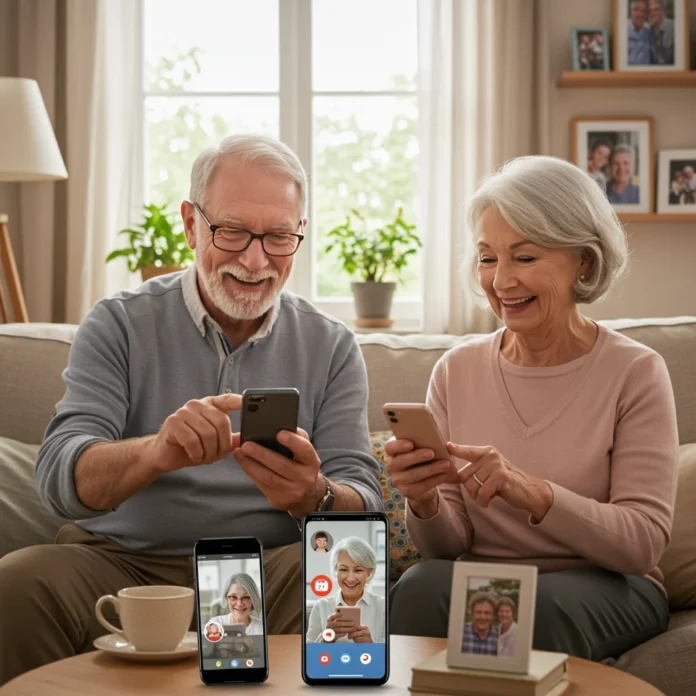
Smartphones have become an essential tool for staying connected, especially for seniors. With family members often living far apart, a reliable and easy-to-use smartphone can help bridge the distance. Beyond communication, these devices offer valuable features like emergency assistance, health monitoring, and entertainment, all from the palm of your hand.

For older adults, choosing the right smartphone can make daily life simpler and safer. The right device supports independence, helps manage health, and brings peace of mind to loved ones. Let’s look at what makes a smartphone especially suitable for seniors and how to find the best fit.
What Makes a Smartphone Senior-Friendly?
Choosing a smartphone for seniors involves more than just picking a popular brand. It’s about finding a device that matches unique needs, from large displays to intuitive menus and strong battery life. Seniors often need straightforward navigation and accessible features to use their phones comfortably.

Several factors set senior-friendly smartphones apart, including safety measures, easy-to-read screens, and loud, clear audio. The goal is to reduce frustration and make digital communication enjoyable for everyone, regardless of age or tech experience.
Are Smartphones Safe for Seniors to Use?
Safety is a top concern when introducing smartphones to seniors. Modern devices come with built-in security features, but users should still be aware of potential scams and data privacy issues. Seniors can stay safe by using secure passwords, enabling device locks, and only downloading trusted apps.
Family members can help by regularly updating software and showing seniors how to recognize suspicious messages. For more details on safe online practices, see our section on keeping seniors protected online.
Key Features to Look for in Smartphones for Seniors
When searching for the right smartphone, it’s important to focus on features that truly matter for seniors. These aspects can significantly impact comfort, usability, and safety.
The following sections break down the most important features to consider, helping you make an informed choice.
Large, Easy-to-Read Displays
A large display makes it easier to see messages, photos, and buttons. Seniors with vision challenges benefit from screens that reduce eye strain and support larger text sizes.
Look for phones with adjustable brightness and high-contrast options to further improve readability in different lighting conditions.
Simple and Intuitive Interfaces
Seniors appreciate simple interfaces with clear icons and minimal clutter. A straightforward home screen, easy access to contacts, and logical menu layouts can make the phone less intimidating.
Some smartphones even offer a dedicated “Easy Mode” or simplified launcher, making the experience as user-friendly as possible.
Long Battery Life: Why It Matters
Long battery life is crucial for seniors who may forget to charge their phones daily. A device that lasts through the day—or even several days—reduces worry and ensures the phone is always ready in case of emergencies.
Battery performance varies between models, so check the manufacturer’s claims and user feedback before making a decision. For those interested in fast charging features, you might enjoy our article on why iPhones keep lightning ports.
Loud and Clear Audio
Clear, adjustable volume is essential for seniors with hearing difficulties. Phones with loud speakers and enhanced call clarity make conversations more enjoyable and less frustrating.
Some devices offer sound amplification or noise reduction to further improve the listening experience during calls and media playback.
Emergency Assistance Features
Many senior-friendly smartphones include emergency buttons or features that quickly connect users with help. This can include one-touch dialing for emergency contacts or built-in SOS functions.
These features provide peace of mind both for seniors and their families, knowing that assistance is always just a tap away.
Physical Buttons vs. Touchscreens: Which Is Better?
Some seniors find physical buttons easier to use than touchscreens, particularly if they have limited dexterity. Buttons provide tactile feedback, making dialing and navigation more reliable in some cases.
Others may prefer touchscreens for their flexibility and larger display area. The best choice depends on individual comfort and needs.
Hearing Aid Compatibility
For those who use hearing aids, compatibility is a must. Look for phones labeled as hearing aid compatible (HAC), which are designed to minimize interference and deliver clearer sound.
This feature can make a significant difference in call quality and overall satisfaction with the device.
Accessibility Options for Visual Impairment
Modern smartphones often include accessibility settings for users with visual impairments. These may feature screen readers, magnification, high-contrast modes, and voice commands to assist navigation.
Customizable accessibility options make it easier for seniors to interact with their phones comfortably and independently.
Durability and Build Quality
Durability is an important consideration, as drops and spills are common. Many senior-friendly smartphones are built with sturdy materials and may offer water resistance or reinforced screens.
A well-built phone can withstand daily wear and tear, providing reliable performance over the long term.
Top Smartphones for Seniors: Quick Comparison Table
Comparing the best smartphones for seniors side by side helps highlight differences in features, pricing, and usability. The table below summarizes top options, including display size, battery life, emergency features, and price range.

Keep these key details in mind as you review the in-depth recommendations that follow.
- Model
- Display Size
- Battery Life
- Emergency Features
- Price Range
How We Selected the Best Smartphones for Seniors
Our selection process combines hands-on testing, expert advice, and real user reviews. We looked for devices that balance ease of use, reliability, and affordability, ensuring a range of options for every need and budget.

We also considered feedback from seniors and caregivers, focusing on features that matter most in everyday life.
Our Testing and Review Process
Each smartphone on our list underwent a detailed evaluation, including setup, daily use, and accessibility testing. We checked how easy it was to navigate menus, adjust settings, and access emergency features.
Battery performance, display clarity, and call quality were assessed in real-world scenarios to ensure accurate recommendations.
Expert and User Feedback Considerations
Expert opinions and user testimonials were key in shaping our list. We listened to seniors and their families about what worked, what didn’t, and which features made the biggest difference.
By combining technical analysis with lived experience, we offer guidance that’s both practical and trustworthy.
Best Overall Smartphone for Seniors
The best overall smartphone for seniors offers a blend of intuitive design, robust features, and reliable performance. It’s suitable for various skill levels and adapts to changing needs over time.

This phone typically includes a large, bright screen, long battery life, easy-to-use interface, and strong emergency support.
Key Features and Benefits
This device stands out with its user-friendly interface, adjustable text size, and customizable home screen. Built-in safety tools, like SOS calling and location sharing, offer added peace of mind.
Its durable construction and clear audio further enhance usability for seniors who value simplicity and reliability.
Pros and Cons
- Pros: Large display, intuitive navigation, robust safety features, strong battery life.
- Cons: May be more expensive than basic models, some advanced features may go unused by beginners.
Who Is This Phone Best For?
This option is ideal for seniors who want a balance of ease of use and advanced features. It’s perfect for those who want a phone that will grow with their needs and support them in emergencies.
Best Budget Smartphone for Seniors
Cost is a major factor for many seniors. The best budget smartphone offers essential features without a high price tag, making it a practical choice for everyday use.
Despite the lower cost, these phones still provide reliable performance and necessary safety features.
Key Features and Benefits
This model includes a simple interface, durable design, and long-lasting battery. Emergency contact options and hearing aid compatibility are standard, ensuring safety and accessibility.
Affordability does not mean sacrificing core functions or peace of mind.
Pros and Cons
- Pros: Affordable, sturdy, straightforward to use, basic emergency features.
- Cons: Fewer advanced options, smaller display, limited storage.
Who Should Choose This Option?
This is an excellent choice for seniors who want a reliable phone for calls, texts, and basic apps without extra complexity. It’s also a great backup device for travel or emergencies.
Best Smartphone with Physical Buttons
For seniors who find touchscreens challenging, a smartphone with physical buttons offers comfort and familiarity. These devices often combine a tactile keypad with simplified smart features.

Physical buttons make dialing and texting easier, especially for those with arthritis or limited dexterity.
Key Features and Benefits
This phone provides large, well-spaced buttons, a bright screen, and clear audio. It often includes dedicated emergency keys and a straightforward menu system.
Battery life is typically strong, and the device can withstand daily use and occasional drops.
Pros and Cons
- Pros: Easy to use, tactile feedback, reliable emergency features, long battery life.
- Cons: Smaller screen, limited app availability, basic camera.
Is This the Right Choice for You?
This option is best for seniors who prefer a familiar keypad and need a straightforward device for communication and safety. It’s particularly helpful for those with limited dexterity or vision.
Best Smartphone for Tech-Savvy Seniors
Some seniors are quite comfortable with technology and want a phone that keeps up with their interests. The best smartphone for tech-savvy seniors delivers top-tier performance, versatility, and advanced features.
These devices often include high-quality cameras, fast processors, and access to a wide range of apps.
Key Features and Benefits
Features like a powerful camera, fast charging, and access to smart home controls are highlights. Customizable settings, voice assistants, and advanced security options round out the experience.
For those interested in photography, check out our guide to top smartphone cameras for capturing travel memories.
Pros and Cons
- Pros: High performance, extensive app selection, advanced camera, support for smart devices.
- Cons: Higher price, steeper learning curve, shorter battery life on some models.
Who Will Benefit Most?
This choice suits seniors who enjoy exploring new apps, taking photos, and staying connected through the latest technology. It’s also ideal for those who want to integrate their phone with other smart devices at home.
Best Flip Phone-Style Smartphone
Flip phone-style smartphones blend classic design with modern convenience. Seniors appreciate the familiar flip mechanism, which protects the screen and prevents accidental calls.

These devices often include essential smart features while remaining simple and pocket-friendly.
Key Features and Benefits
Key benefits include a compact design, physical keypad, and basic smart functions like texting, calling, and emergency support. Long battery life and robust construction add to their practicality.
Many models now offer touchscreens inside, combining the best of both worlds.
Pros and Cons
- Pros: Easy to carry, reliable, simple to operate, strong battery life.
- Cons: Limited advanced features, smaller display, basic camera.
Who Is This Phone Ideal For?
This phone is perfect for seniors who want a familiar, tactile device with a few smart features. It’s also a good choice for those who value portability and straightforward operation.
Best Smartphone for Visual or Hearing Impairment
Seniors with visual or hearing challenges need specialized features for accessibility. The best smartphones in this category focus on customization and compatibility with assistive devices.

These phones support screen readers, voice commands, and hearing aid pairing to make communication easier.
Key Features and Benefits
Expect high-contrast displays, adjustable font sizes, and voice control. Hearing aid compatibility and loud, clear speakers are also standard.
Some models include tactile feedback or vibration alerts for incoming calls and messages.
Pros and Cons
- Pros: Comprehensive accessibility options, strong audio features, customizable settings.
- Cons: May require setup assistance, some advanced features may be unnecessary for certain users.
Accessibility-Specific Features
Specialized accessibility settings can include screen magnifiers, braille display support, and real-time transcription for calls. These features help seniors maintain independence and confidence when using their phones.
Best Smartphone for Emergency Support
For seniors who prioritize safety, a smartphone with emergency support features is essential. These devices offer one-touch SOS calling, GPS location sharing, and quick access to medical information.

Emergency-focused phones provide reassurance for seniors and peace of mind for their families.
Key Features and Benefits
Key highlights include dedicated emergency buttons, automatic fall detection, and easy access to emergency contacts. Some phones can alert chosen contacts if a problem is detected.
Clear instructions and simple operation ensure these features are accessible when needed most.
Pros and Cons
- Pros: Strong safety features, easy to use, reliable in emergencies.
- Cons: Fewer entertainment or advanced features, may be more expensive than basic models.
Emergency Features Explained
Emergency features usually include a prominent SOS button, which can be held or pressed multiple times to call for help. Some devices send location information or medical details to emergency responders automatically.
These tools are invaluable for seniors living alone or those with health concerns.
Best Smartphones for Seniors Who Travel
Seniors who love to travel need a phone that’s reliable both at home and abroad. The best smartphones for traveling seniors offer international compatibility, strong battery life, and easy access to maps and translation apps.

Features like dual SIM support and robust emergency options are especially helpful when away from home.
Key Features and Benefits
These phones typically have global network support, built-in GPS, and offline map compatibility. Long battery life and fast charging make them ideal for sightseeing and long journeys.
Some models even include built-in travel apps or real-time language translation.
Pros and Cons
- Pros: International usability, robust safety features, long battery life, travel-friendly apps.
- Cons: May require an international plan, higher upfront cost, can be more complex to set up.
International Usability Considerations
When choosing a phone for travel, check that it supports global bands and can accept local SIM cards. Consider phones with eSIM support for more flexibility. For those who prefer compact devices, you might find our article on mini smartphones with big features helpful for travel.
Top Smartphone Brands for Seniors: How Do They Compare?
Brand reputation can influence your decision when selecting a smartphone for seniors. Some companies have a strong track record of providing accessible, reliable devices and ongoing support.
Understanding the differences between major brands helps you choose a phone that matches your needs and comfort level.
Apple iPhones for Seniors
Apple iPhones are known for their intuitive interface, robust accessibility features, and reliable performance. The iOS system includes voice commands, screen magnification, and emergency SOS functions.
Recent models have large, clear displays and regular updates, making them a favorite among seniors. For a sneak peek at future developments, check out Apple’s next move toward bezelless full-screen iPhones.
Samsung Phones for Seniors
Samsung smartphones feature customizable displays, easy modes, and excellent battery life. Their Android devices are highly adaptable, with options for large text, high contrast, and voice assistance.
Samsung’s One UI interface is straightforward, and many models are compatible with hearing aids and accessibility apps.
Jitterbug and Lively Phones
Jitterbug and Lively phones cater specifically to seniors, offering simplified menus, large buttons, and built-in emergency features. They prioritize ease of use and safety over advanced smart capabilities.
These brands are ideal for seniors who want a no-fuss device with essential functions and strong support.
Other Notable Brands
Other brands, like Nokia and Alcatel, offer affordable, sturdy phones with senior-friendly features. These devices often include physical buttons, long battery life, and basic smart functionality.
While they may lack some advanced features, they’re reliable choices for those who value simplicity and durability.
Are Smartphones with Preloaded Senior Apps Worth It?
Some smartphones come with preloaded apps designed for seniors, covering health, communication, and safety. These can simplify setup and ensure essential tools are readily available.

However, it’s worth considering whether you prefer to customize the phone with your own app choices or benefit from out-of-the-box convenience.
Top Recommended Apps for Seniors
Apps play a major role in enhancing the smartphone experience for seniors. Here are some categories and suggestions to consider.
Whether it’s for health tracking, staying in touch, or emergency support, the right apps make daily life easier and safer.
Health and Wellness Apps
Health apps can track medication schedules, monitor vital signs, and remind users about appointments. Many seniors find these tools helpful for managing chronic conditions or maintaining a healthy lifestyle.
Look for apps with simple interfaces and clear notifications to make staying healthy less stressful.
Communication and Social Apps
Staying connected is simple with apps for messaging, video calls, and sharing photos. These tools help seniors keep in touch with family and friends, no matter the distance.
Some apps even support voice commands or large text for easier use.
Safety and Emergency Apps
Emergency apps let seniors quickly contact loved ones or emergency services. Features like GPS location sharing and automatic alerts provide extra reassurance for both users and caregivers.
It’s wise to install and test these apps early so seniors are comfortable using them if needed.
How to Set Up a Smartphone for a Senior
Setting up a smartphone for a senior requires attention to detail and patience. A well-configured phone is easier to use and safer in daily life.

Following a step-by-step approach helps ensure that all necessary features are enabled and customized for the user’s needs.
Step-by-Step Setup Guide
Start by charging the phone fully and turning it on. Follow the on-screen prompts to select language, connect to Wi-Fi, and sign in or create an account.
Install essential updates, set up a secure password or PIN, and add emergency contacts during the initial setup process.
Customizing Accessibility Settings
Adjust font sizes, enable high-contrast modes, and activate voice commands as needed. Many phones offer an “Easy Mode” or similar feature to simplify the home screen and menus.
Testing these settings with the senior user ensures they feel comfortable and confident navigating their new phone.
Setting Up Emergency Contacts
Add key emergency contacts to the phone’s address book and enable any built-in SOS features. Teach the senior how to quickly access these contacts in case of need.
Some devices allow emergency information, like medical conditions or allergies, to be accessible from the lock screen for first responders.
Tips for Teaching Seniors to Use Smartphones
Learning to use a smartphone can be daunting for some seniors, but with the right approach, it becomes much more manageable. Patience, clear instructions, and hands-on practice are key.

Offering ongoing support and encouragement helps build confidence and independence.
Common Challenges and How to Overcome Them
Common hurdles include remembering passwords, navigating unfamiliar menus, and using touchscreens. Break lessons into small, manageable steps and repeat key actions until they become second nature.
Encourage seniors to ask questions and keep a printed guide with basic instructions for reference.
Recommended Training Resources
Local community centers, libraries, and online tutorials offer valuable training for seniors. Some phone manufacturers provide dedicated support lines and instructional videos tailored for beginners.
For those interested in integrating their devices with home technology, our article on smart home essentials may be a helpful resource.
How to Keep Seniors Safe Online
Online safety is a growing concern for seniors as they spend more time connected. Simple precautions can greatly reduce the risk of scams, fraud, and privacy breaches.

Education is the first line of defense, helping seniors recognize warning signs and protect their personal information.
Recognizing Scams and Fraud
Teach seniors to be cautious with unsolicited calls, emails, or texts asking for personal information. Remind them not to click on unknown links or share sensitive details with strangers.
Encourage them to consult a trusted family member before responding to suspicious messages.
Privacy Settings and Data Protection
Help seniors adjust privacy settings on their phones and social media accounts. Use strong, unique passwords and enable two-factor authentication where possible.
Regularly update software and apps to keep security features current and effective.
Smartphone Plans and Costs for Seniors
Finding the right plan can save money and ensure that seniors only pay for what they need. Many carriers offer special plans designed for older adults, with flexible options and discounts.

Consider data usage, international calling needs, and emergency support when comparing plans.
Best Value Plans for Seniors
Look for plans with unlimited calls and texts, reasonable data allowances, and no long-term contracts. Some carriers offer senior-specific plans with added perks like roadside assistance or health monitoring.
Compare coverage in your area to guarantee reliable service.
What to Consider When Choosing a Plan?
Consider how often the phone will be used for calls, texting, or internet browsing. International travelers should check for roaming options, while homebodies may prefer basic plans with minimal data.
Review contract terms and cancellation policies before signing up.
FAQs About Smartphones for Seniors
Choosing and using a smartphone often raises questions for seniors and their families. Here are some common concerns and helpful answers.

Understanding the basics can make the transition to a new device much smoother.
Can Seniors Use Regular Smartphones?
Yes, many seniors use regular smartphones with great success. Customizing the device with larger text, simplified menus, and accessibility settings can make even advanced models easy to use.
Consider the senior’s comfort level and willingness to learn when deciding between a standard smartphone and a senior-specific model.
How Do I Help My Parent Choose the Right Phone?
Start by discussing your parent’s needs and preferences, including screen size, physical buttons, and emergency features. Visit a store to let them try different models and ask questions.
Factor in budget, carrier compatibility, and ongoing support to make the best choice.
How to Book on Viator
If you’re planning to travel or want to help a senior book activities, Viator offers a simple, user-friendly platform for finding tours, experiences, and excursions worldwide. Start by visiting their website, searching for your destination, and browsing the available options.

Once you’ve chosen an activity, follow the prompts to select dates, provide participant information, and complete your booking securely online. With clear ratings and reviews, Viator makes it easy to plan your trip and add memorable experiences to your journey.
Conclusion: Finding the Best Smartphone for Your Needs
Choosing the right smartphone for seniors is about more than just features—it’s about comfort, safety, and maintaining connections. With so many options available, it’s possible to find a device that fits every level of tech experience and every budget.

Whether you’re looking for advanced features, a simple interface, or strong emergency support, the perfect phone is out there. The team at Izase is dedicated to helping you make informed choices. For more expert advice and the latest recommendations, visit Izase today.
Additional Resources and Support
For more information on smartphone features, travel tips, and technology for seniors, explore our related articles and support guides. Stay connected to updates and new resources as technology continues to evolve to meet your needs.

Disclaimer: This information is accurate to the best of our knowledge; however, there may be changes or mistakes. Please verify exact details on the Viator booking page.